Your AI agent now checks its reply before sending
Almost every business owner who thinks about putting an AI agent on WhatsApp has the same fear: what if the AI makes something up? Opening hours the store doesn't have, a discount that doesn't exist, a delivery date nobody promised.
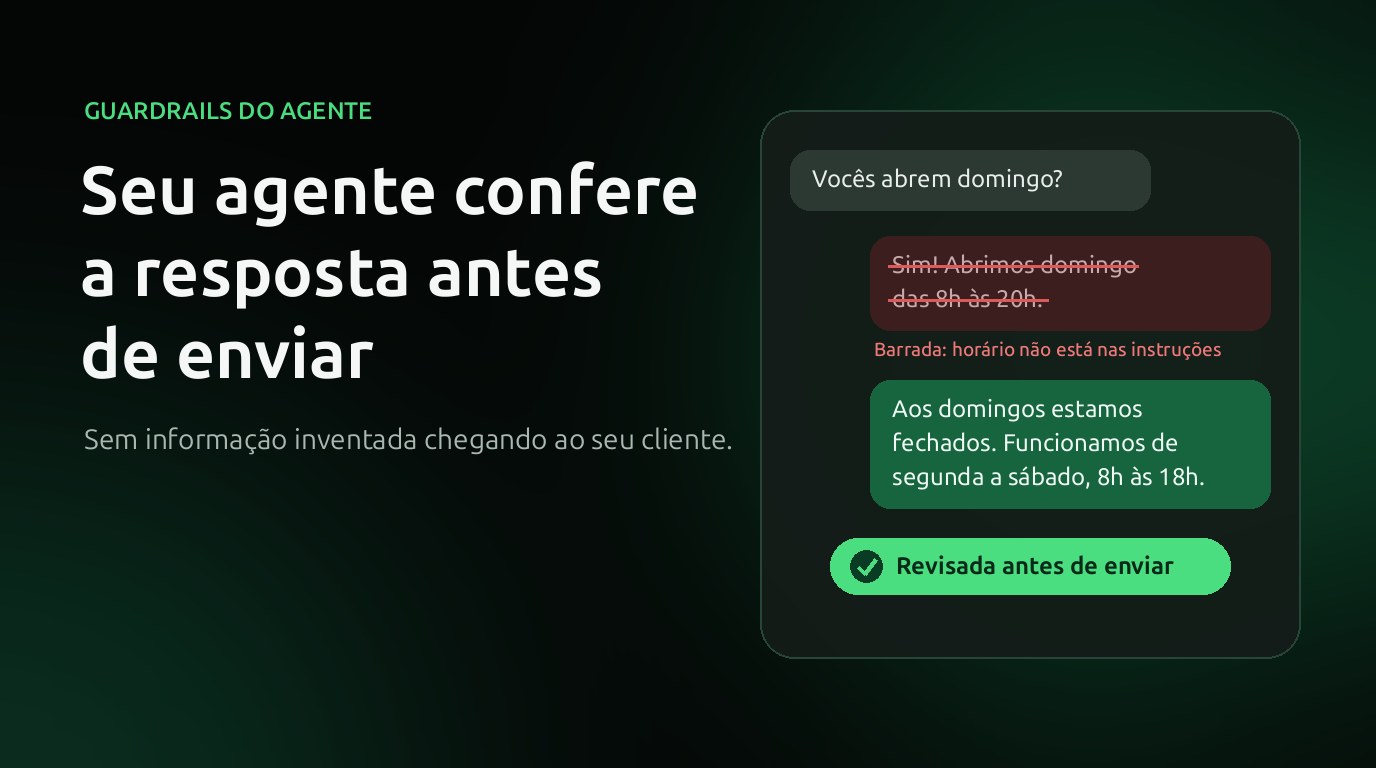
The fear is fair. Language models write well and confidently, even when they don't know the answer. That's why XBASE now has guardrails: before the agent's reply reaches your customer, it is reviewed. If it isn't good, it doesn't go out, and the agent answers again, already knowing what to fix.
Why this matters for your business
A wrong answer from the AI is not just a bad piece of text. For the customer, it was your company speaking.
- What customer service promises, the company has to deliver. Under Brazil's Consumer Protection Code, the information given to the customer about a product or service binds the supplier and becomes part of the contract (art. 30). It doesn't matter whether it was written by an agent or a bot.
- It has already happened abroad. In 2024, Air Canada was ordered to pay a customer because the chatbot on its website described a refund rule the company didn't have. The tribunal held that the company is responsible for what its own chatbot says.
- A made-up answer costs more than a slow answer. Fixing a wrong promise takes more work (and wears down the relationship more) than saying "let me check with the team".
Well-written instructions reduce the problem, but don't eliminate it. The agent can still fill a gap with something that "sounds right".
How the reply review works
Every time the agent writes a reply, it goes through an automatic review before it is sent. The review looks at what you configured:
- Not grounded in the instructions: does the reply state a price, opening hours, deadline or rule that isn't in the agent's instructions, in the sources it consulted or in the conversation? This is where hallucination shows up.
- Didn't answer: did the agent dodge the question, repeat a question the customer already answered or ask for information that was already given?
- Off goal: does the reply fail to help with any of the goals you set for the agent (scheduling, selling, answering questions)?
- Contradicts a rule: did the agent promise something the instructions forbid?
- Disallowed data: does the reply include an email, phone number or sensitive number that isn't on the list of what can be shared? Your company's contact details that are in the instructions are still allowed.
- Tone: is the reply disrespectful?
When the reply is rejected, it doesn't reach the customer. The agent gets the reason and guidance on how to fix it, and answers the same message again. If the second reply also fails:
- for a serious reason (such as ungrounded information), the customer gets a holding message that you write, for example "Let me confirm this with the team and I'll get right back to you", and the conversation goes to the team;
- for a minor reason, the reply goes out and the conversation is flagged for you to review later.
The review applies to the agent on every channel: WhatsApp, Instagram, email and the website chat.
Start by just watching
You don't need to turn everything on at once. Each check has two options:
- Log only: the reply goes out as usual and the review is saved for you to follow. It's the way to see, with real conversations, where the agent gets it wrong before changing anything for the customer.
- Reject and rerun: the rejected reply is held back and the agent answers again.
The path we recommend: leave it on Log only for a few days, read the replies that would have been blocked and adjust the agent's instructions. When you feel confident, switch the most important checks (such as Not grounded in the instructions) to Reject and rerun.
Where to follow it
- In the agent's Guardrails tab, the summary of the last 7 days shows how many replies were reviewed, rejected and redone.
- In Learnings → Reviewed responses, you see each blocked reply, the reason and the guidance, and you can open the conversation.
- In the Chatcenter, the conversation shows the Reviewed response notice when something was blocked (only your team sees it).
What the review doesn't do
It's worth being clear about the limits:
- It doesn't replace good instructions. The review compares the reply with what the agent knows. If the right information isn't in the instructions, the best it can do is hold back the made-up reply and have the agent say it will check.
- It adds a little time. With Reject and rerun, each reply waits for the review, which usually takes a second or two; when the reply is redone, the agent runs again (and that new reply uses credits like any other).
- It isn't infallible. It's a second automatic reading, not a guarantee. That's why there is the holding message and the handover to the team in serious cases.
Frequently asked questions
Does the customer see the reply that was blocked? No. With Reject and rerun, the rejected reply is not sent. The customer only gets the new reply or the holding message.
Do I need to write the review rules? No. The checks come ready-made: you turn on the ones you want and choose the action for each. If you want, you can adjust the checks with the Edit decision button.
Does it work with the agent I already have? Yes. Guardrails are in each agent's Guardrails tab and come turned off: nothing changes until you turn them on.
To see each check and the step-by-step setup, read the documentation Agent guardrails.
Sources
- Brazilian Consumer Protection Code (Law No. 8,078/1990), art. 30.
- Moffatt v. Air Canada, 2024 BCCRT 149 (Civil Resolution Tribunal of British Columbia, Canada).
Keep reading
From script to Reels ad without leaving XBASE
Create the Reels in the Studio in 6 steps, already in the format Meta recommends for ads (9:16, with sound and text in the safe zone), and take the piece to the ad set with the WhatsApp button.
Read articleFind customers on Google Maps and send them straight to your funnel
Enter a topic and a city: XBASE Prospecting brings in businesses from Google Maps with phone, website and rating, keeps the ones with a mobile number and sends the leads you pick to a funnel stage.
Read article