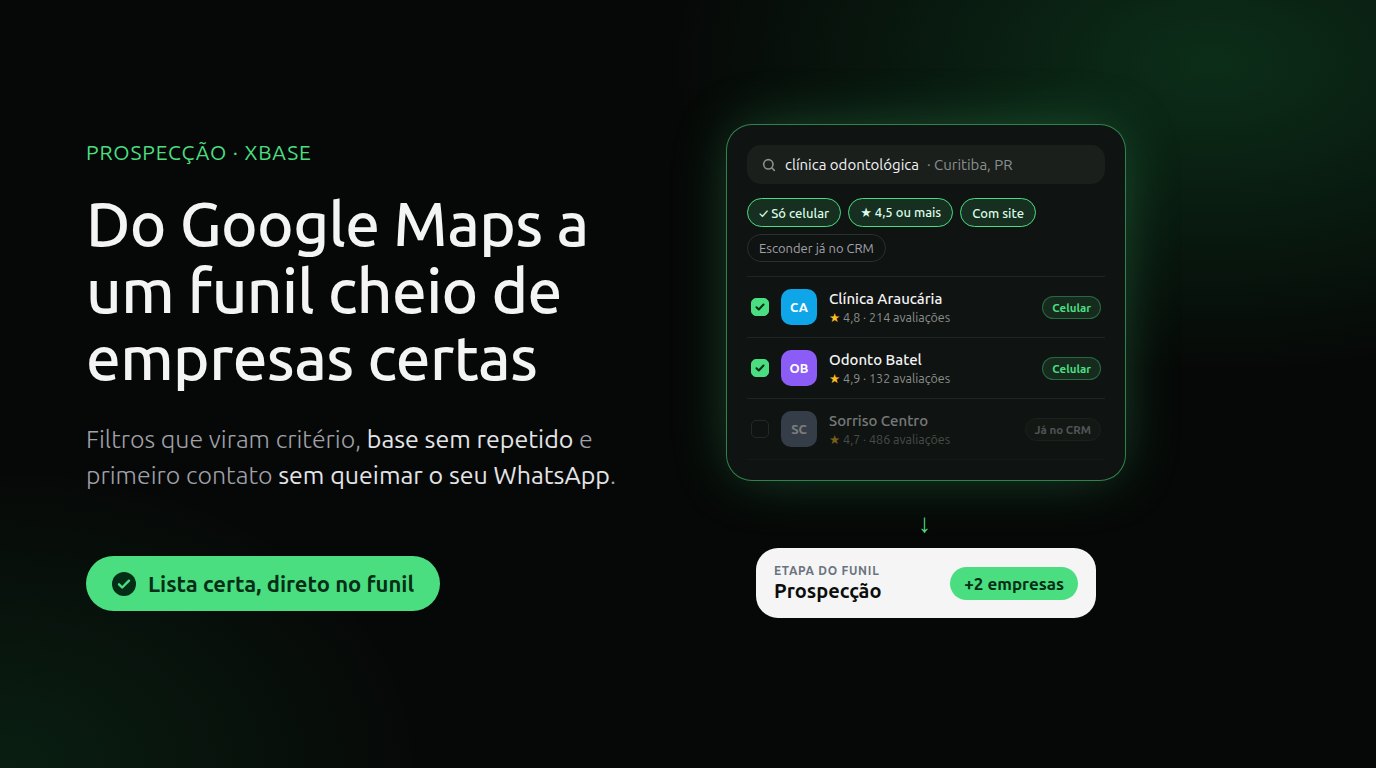
The power of Prospecting: from Google Maps to a pipeline full of the right businesses
If you sell to businesses, you are never short of businesses to call. On Google Maps, the businesses in your city have a profile with name, category, address, phone, website, rating and reviews. The hard part is something else: turning that storefront into a list your team can actually work, without losing an afternoon copying listings, without calling the same business twice and without burning your company's WhatsApp number.
XBASE Prospecting was built for that job. This guide shows what it changes in practice and how to use it strategically, from the filter to the first conversation.
New to Prospecting? The step by step to connect and run your first search is in the post Find customers on Google Maps and send them straight to your funnel.
Where manual prospecting gets stuck
- Time: opening listing after listing and copying name, phone and website into a spreadsheet eats the afternoon that should go to calls.
- Wrong number: many Google Maps phones are landlines, and the team only finds out when trying to reach them on WhatsApp.
- Duplicates: the spreadsheet doesn't talk to the CRM. The same business gets added twice or gets called by two people.
- No criteria: without filters, the team spends energy on businesses that would never buy.
- No follow-up: after the call, nobody knows where each business stands.
1. Criteria before volume
The first power of Prospecting is turning your ideal customer profile into filters. Some go out with the search: topic, city or region, Google categories, quantity, minimum rating and with or without a website. Others XBASE applies to the list that came back: mobile only, minimum reviews, has Instagram, has email and hide those already in your CRM. With one of these filters on, XBASE asks the search for more results and trims to the quantity you chose, so the list doesn't come back short.
A few examples of how to turn your ideal customer into a search and a filter:
| You sell | Search for | Filter by |
|---|---|---|
| Websites and digital marketing | the niche + the city | no website, few reviews |
| Software for clinics | "dental clinic" + the city | Google category, minimum rating |
| Distribution to restaurants | "restaurant" + the neighborhood | mobile only, minimum reviews |
| Services for retail | "clothing store" + the city | with Instagram, with website |
After the search, the list still goes past your eyes: quick filters with counts, sorting by rating or reviews, search inside the list and a button to discard what doesn't fit.
2. A database without duplicates
Every business on the list is checked against your CRM by Google place and by phone, with and without Brazil's extra ninth digit. Existing contacts show the Already in CRM badge, and you can hide those businesses from the list. If you send one anyway, XBASE uses the existing contact and just moves its conversation to the stage. Your database grows without duplicates.
3. From the list to a pipeline stage
Once you have picked the businesses, Send to pipeline asks for the pipeline and the stage. Each business becomes a contact with name, category, address, website, email, the mobile number for WhatsApp and the landline for calls, and gets a conversation in that stage. At the end, XBASE shows how many contacts were created, how many already existed and how many changed stage.
This is where prospecting stops being a spreadsheet and becomes a process. Each business has a card, the team moves the card as the conversation progresses, and stage conversion shows how many conversations go from one stage to the next. With one stage or one pipeline per niche, you can compare which niches respond best using the numbers from your own pipeline.
If part of the work happens outside XBASE, export the list to Excel or CSV.
4. First contact without burning your number
This is what separates prospecting that lasts from prospecting that burns the channel. The WhatsApp Business policy is clear: a business may only message someone on WhatsApp if that person gave it their number and agreed to receive messages. A phone number published on Google Maps is not that permission.
And WhatsApp keeps score. Your number's quality is calculated from what people do with your messages over the last seven days, such as blocking, reporting, muting and archiving. With too much negative feedback, WhatsApp may limit your message volume and even restrict the business's access.
What works:
- First contact by phone or email. Prospecting brings the landline, the mobile number and, when it finds one, the email. Open the conversation with what the search showed: the neighborhood, the rating, the number of reviews, whether the business has a website.
- Ask to continue on WhatsApp. Once the business agrees, the conversation moves to official WhatsApp, in the XBASE inbox, where AI suggests the replies and your team sends them. If the first message on that channel comes from your company, it has to be a Meta-approved message template. If you prefer, send your WhatsApp link in the email so the business messages you first.
- Respect anyone who asks you to stop. The policy requires honoring requests from people who no longer want to receive messages, on and off WhatsApp.
- Work short lists. Start with 20 businesses, make the contacts, see how many move forward and adjust the filters before the next search.
Prospecting doesn't message anyone. It delivers the right list to the right place; outreach stays with your team.
5. Pricing
Searches run through treg.to, an external service, and are paid from your balance there. XBASE charges nothing extra for Prospecting.
| Search | When | Cost on treg.to |
|---|---|---|
| Quick | one topic and up to 20 businesses | cents per search |
| Broad | more than one topic or more than 20 businesses | about US$0.009 per business, plus US$0.01 per search |
In practice, a list of 100 businesses in a broad search costs about US$0.91. The broad search costs more because it visits each business's website to find emails and social profiles. The cost of each search shows on screen, and the balance sits at the top of Prospecting. Prices from the treg.to catalog, checked on 10/28/2026.
A plan for your first week
- Connect treg.to in Contacts → Prospecting and create the stage in your pipeline that will receive the businesses.
- Pick one niche and one city and run a quick search of up to 20 businesses.
- Filter and review: mobile only or with website, minimum rating, without those already in your CRM.
- Send them to the stage and split the contacts among your team members.
- At the end of the week, see how many businesses moved forward and adjust the niche, the city and the filters.
Get started
- See the Prospecting page, with what it does and what it doesn't.
- Follow the tutorial How to find customers on Google Maps and send them to the funnel.
- Read the full rules in the documentation Lead prospecting on Google Maps.
Sources
- WhatsApp Business — WhatsApp Business Messaging Policy (opt-in, requests to stop and user feedback): business.whatsapp.com/policy
- Meta for Developers — message quality (blocks, reports, mutes and archives over the last seven days): developers.facebook.com
- treg.to — endpoint catalog and pricing: treg.to/catalog
Keep reading
From script to Reels ad without leaving XBASE
Create the Reels in the Studio in 6 steps, already in the format Meta recommends for ads (9:16, with sound and text in the safe zone), and take the piece to the ad set with the WhatsApp button.
Read articleFind customers on Google Maps and send them straight to your funnel
Enter a topic and a city: XBASE Prospecting brings in businesses from Google Maps with phone, website and rating, keeps the ones with a mobile number and sends the leads you pick to a funnel stage.
Read article